
Portal 2, the sequel to one of the most humourous and fun puzzle games ever made, Portal, released this week. This week Tuesday, a few days before planned launch. This was good news for me; see Portal 2 is the first game I’ve ever cared enough about to bother preordering. Quite a while ago in fact, back in February. And as such I preordered it for my PS3, my PC lacking the necessary gusto required to play modern games.
In any case, the early release ensured that I would get the game before the long weekend, giving me plenty of time to sit around and finish it, leaving next week open to work off my backlog of work. And as it sits I played, thoroughly enjoyed, and finished the game. The single player mode in any case, see Portal 2 comes with a bunch of extra co-op missions for you to play with a friend. And I have such a friend, with a PS3 and sharing the enthusiasm for the new game.
Sony and Valve both had to work a bit here, as Steam games had never previously been available on the PS3. As such, a nice overlay was created with the ability to link your PSN (PlayStation Network) account to your Steam account. The PS3 version of the game even comes with a CD key allowing you to activate the PC version of the game on Steam as well.
So it was with much enthusiasm that I tried to connect to PSN and get this process going. But alas it failed, with some obscure error code. Searches online linked only to router options, proxy settings and port forwarding. And so I sat down, sifting through my router settings, one by one, trying to find the source of my problem. Fortunately I was saved too much effort by a message from mentioned friend, informing me that he too can no longer login to PSN.
The joy of this is that if you can’t login to PSN, you can’t multiplay. The obscure error message has since been replaced by a notice informing us that the servers are down for maintenance. The PSN website and twitter feed inform us that it’s probably going to be down for a few days, and they’re not really sure what’s wrong.
As far as I know, this is the first time that something like this has happened to PSN, and I can’t but wonder if the link with Steam has somehow caused this issue. In the mean time I’ve started following the official PSN twitter feed in anticipation of it’s return. I’m also making headway into my work, ensuring time in the future to enjoy the benefits of Portal 2 co-op.
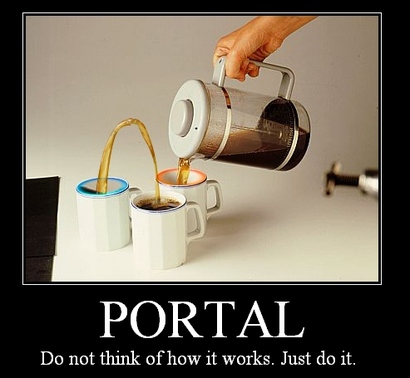
With reference to the SP game itself though. It was as enjoyable as the first, and with the addition of various new game mechanics made for a truly great experience. Excellent casting, especially of Wheatly (Steve Merchant), and an ending equalling the predecessor’s. The story followed on nicely, with constant references to other games and previous events keeping one listening intently to what was happening.
Update: PSN has been haxxored. The official words are: “An external intrusion on our system has affected our PlayStation Network”. So they’ve shut it off while they conduct an investigation. No estimate as to how long it’s going to be off.